
Why your website isn't making sales (it's not your products or services)
So, you built the website, you launched the business... and now you're wondering why the hell it isn't making any sales.
We are breaking down the most common trip-up points that are actively causing your website to leak leads and lose customers. I've broken this down into three main categories: your "Front Door" leaks, the tech tangles behind the scenes, and the subtle things that are destroying your trust factor.
We cover everything from the 3-second rule and fixing your broken "digital receptionist," to why you need a photo of your face on your about page. Stop guessing why your website isn't converting, and let's get your digital storefront out of manual mode.
👉 Want to see what this looks like in practice? Watch this video where I walk through visual before-and-after examples of these exact fixes: https://www.youtube.com/watch?v=YB2q8te3RQc
📌 If your website is feeling like a massive knot you don't have the energy to untangle, check out my Website Design services to see how we can fix it together: https://www.calibratedconcepts.com/website-design
Transcript below!
-
00:01 So you've got this business and you've created this website and you're going, why the hell is it not selling anything?
00:09 Today we're going to go over some of the most common trip up points I see for people who are trying to sell products and services from their business, uh, for their business through their website and are struggling to actually make that convert.
00:27 We've got three categories, each with just a few things, so hang with me, I'll make sure this video is chaptered so you can jump about as necessary, um, but I don't think it's going to be too long.
00:39 And if you have, have seen videos from me before, welcome back and welcome to my new office. Um, if you don't know me, my name is Ellie.
00:47 I am the founder and CEO of Calibrated Concepts, and I talk about all things that techie, websites, uh, systems and automation, and where those things overlap, but mostly about websites.
00:59 Okay. So the first thing is something you want to look at yourself. Your front door, what is leaking on first impression?
01:08 Where are people getting turned away before they can even really dive into your website? And the first is, can people actually find your website?
01:18 I have clients who I've created stunning websites before we've done all this work, and maybe they didn't opt for the additional SEO package or, they never got Google reviews, or linked their website to their Google, uh, page, or to their Facebook page, uhm, they have not invested in making sure people
01:42 can actually find their website. They don't share the link on their social media posts, They're not taking the time to sign post people to their website.
01:49 And it's not going to happen by magic. Yes, eventually, Google will index your website, but without all those other factors, they're, you're not going to rank very high, you're going to be pretty mid, maybe even low, depending on the quality of your website content, and you want to make sure you're showing
02:07 up at the top by telling people your website's there, and making sure that you're showing Google people actually go to it.
02:15 Alright, the next thing is, how much friction are they having when they actually get to your website? So they get to your website, it's been found, but what are they doing in that first three seconds?
02:27 Do they know what to do? How many clicks do they have to take to get to the action you want them to have?
02:33 Buying the thing, signing up for your email list, whatever that big call to action is, how many clicks? How long does it take them to find it?
02:40 Uhm, above the fold, before they even scroll, can they take the big next step with you? Is there a button in the top navigation or in the banner at the top of your website that tells them what to do next?
02:55 Uhm, if not, They might be busy or lazy or forget. And you might lose out on that opportunity. The next thing is somebody might go through your website and be like, oh, this looks really great.
03:09 I'm just not ready. I don't have the time. Maybe we just moved houses, uh, or maybe we just had a baby or maybe we just don't have the money right now, uh, to buy this thing or to buy this service.
03:22 What do you do? You want to make sure to capture that person. You want to make sure to stay in touch.
03:28 So you want to make sure that they're filling out a form to be a part of your client relationship management software or your newsletter or a waiting list or something along those lines so that they, you can stay in touch and when they're ready, they can take the plunge.
03:44 So that's our first category, what we're calling the front door, making sure that your first impression is a great impression.
03:52 The next is the techy things. So this is user experience, systems across your website. Um, the first is so important and it is mobile speed.
04:03 People are going to be checking your website most likely from their phones. They might be out and about they might not have great internet.
04:09 So. How fast is your website loading and factors for this are how much custom code you have, how big your images are, um, how many videos that need to render, et cetera, et cetera, et cetera.
04:22 It's essentially how much data actually needs to load, right? And if they are staring at a screen that isn't loading for more than three seconds, they're going to be gone.
04:32 They're going to go find someone else's, whose website's loading. It's works or they, if you're lucky, they might go and check your social media profiles.
04:38 Um, but you want to make sure that your website is loading and that means making sure your photos aren't too big, that your videos don't auto play, um, that you have fallbacks and with mobile optimized viewing.
04:53 The second thing in this category is your navigation. And we kind of touched on this. But your top navigation, so that's going to be your about services, your shop, um, freebies or resources, blog, all those types of things that normally live across the top of your website.
05:11 Are they really clear to read? Are they spaced out? Well, if you have any dropdowns, are they confusing? How many clicks again, is it taking for somebody to find what they're looking for?
05:21 And, are they named clearly um, being really clear about a blog being blog or journal or whatever is much nicer than being like, my thoughts, because people don't necessarily know what that means.
05:37 And then, this is a big, big one. what is broken? Are there contact forms that don't work? Links that are broken that take people to non-existent pages?
05:48 Um, is your booking link broken? Is, is essentially the automation part of your website? Is your digital receptionist just turning people away?
05:59 Can they even feel like they're actually being taken care of by your website? If not, it shows really poor customer service from.
06:06 Right at the get-go and they might not, it really reduces trust. They probably won't trust you to take care of them going forward because even your website can't do that.
06:17 And the last is your calls to action. So we talked about that about on the, the initial reaction to your website, but you should have them throughout your website.
06:26 You have to tell them what to do next. Make sure that there are buttons. And links to book now, buy now, shop, sign up to the newsletter, whatever it is you want them to do from your website.
06:39 Join the waiting list, listen to the podcast. Whatever is your primary goal for the website, make sure it is everywhere.
06:48 I do mean, like, you want to really make it as simple for to not have to jump around and look and scroll a ton to find that call to action.
06:58 And so I would recommend putting it every reasonable place you can, um, without feeling, adding clutter or making it seem overwhelming or desperate, but as often as it seems reasonable, put that call to action.
07:12 Okay. Now we're on to our third category, and this is all about trust. And so we talked about how we know not having broken things reduces trust, but what other things can build trust?
07:23 Um, so first off, are there photos of you? People want to know who they're buying from. especially if it's a service, um, but even products, you're, if you're a product based business, your about page should still have a picture of you.
07:37 Maybe even your contact page, photos are a huge way to build that trust and show that you're like a real person and not an AI-generated whatever we have these days.
07:47 Is there social proof? So do you have testimonials, Google reviews, client case studies, um, logos of people you've worked with or who you partner with, um, product reviews?
08:02 All those things are so crucial to making sure people know that what you're selling is actually valuable and trustworthy and going to make a difference for whatever transition they're trying to make.
08:14 So if you're selling services, what is their goal with that? If you're selling products, what are they buying that for?
08:19 What are they hoping it will help them achieve? Okay, and then products and services. Services descriptions, I see this all the time.
08:28 People will put really simple, um, descriptions of what they're selling, but they're too simple. First off for SEO, Google's not going to know what you're selling.
08:40 Second of all, people, if they've gotten to the point where they're like, oh, what are they selling? They're digging. They want to know all the details.
08:48 They're ready to know it. So thinking about their frequently asked questions and answer them. If you're selling products, what's the size?
08:58 that might be useful information about that product should be shared. Um, shipping information, that kind of thing should all be in there.
09:08 Um, if you're selling a service, again, it's what they get. Is there a guarantee of how, of the results? Um, how many weeks, if it's a course or something like that.
09:21 What is inclusion? Down to the nitty gritty, um, for people and even better if you have photos, mock-ups, um, again, more social proof, as much social proof as we can create.
09:35 The next thing is policies. It's another huge trust builder. Okay. So if you have policies that say what your shipping policy is, what your returns policy is, what your guarantees are.
09:46 T is for this course you've offered, 30 day refund or two week trial period or whatever it might be. Uh, cancellation policies.
09:55 I have a privacy policy and a value statement on my website. As well as causes that I just believe in and donate to on a regular basis through the business.
10:03 And so all of those things show people a bit about who I am and that I'm more trustworthy, uhm, than just, again, some bot generated website.
10:14 And the last thing, and I know this sounds weird to be in the trust, uh, category, but trust me, it is, is, is your website clean?
10:22 And by that I mean, is it readable? Are the fonts nice to actually read? Are the colors high enough contrast?
10:30 Is there space between elements? Uhm, does it just feel like there's enough space on the website and enough, kind to breathe and consume the content without feeling overwhelmed or like you're just, you Just, You know, if you've been on a cluttered website or one that has really hard readability because
10:51 of, like, uh, complicated fonts or just really bad readability of colors, uhm, you know what that feels like where you're just like, I, I just can't be here anymore.
11:02 And along those lines, think about how many pop-ups you have. So for example, you might have your privacy policy. Then you might have an email collection pop-up, and then you might have a banner across the website at the very top, like an announcement bar.
11:20 I usually recommend two maximum because people don't want to have to hit 17 Xs before they get to the content.
11:27 So, if you want to improve your digital front door, untangle your technology, and build trust with your website, these are the tips for you.
11:37 I hope this has been really helpful. Um, if you want me to walk you through some examples of this visually, let me know in the comments.
11:45 I can always create a video showing you what this looks like before and after. I've done some of similar videos in the past and I'll try and link those in the description as well.
11:53 Um, I really appreciate if you would share or like or comment. It makes a huge difference for small creators like me who are trying to build a great small business.
12:04 Alright, have a good day.
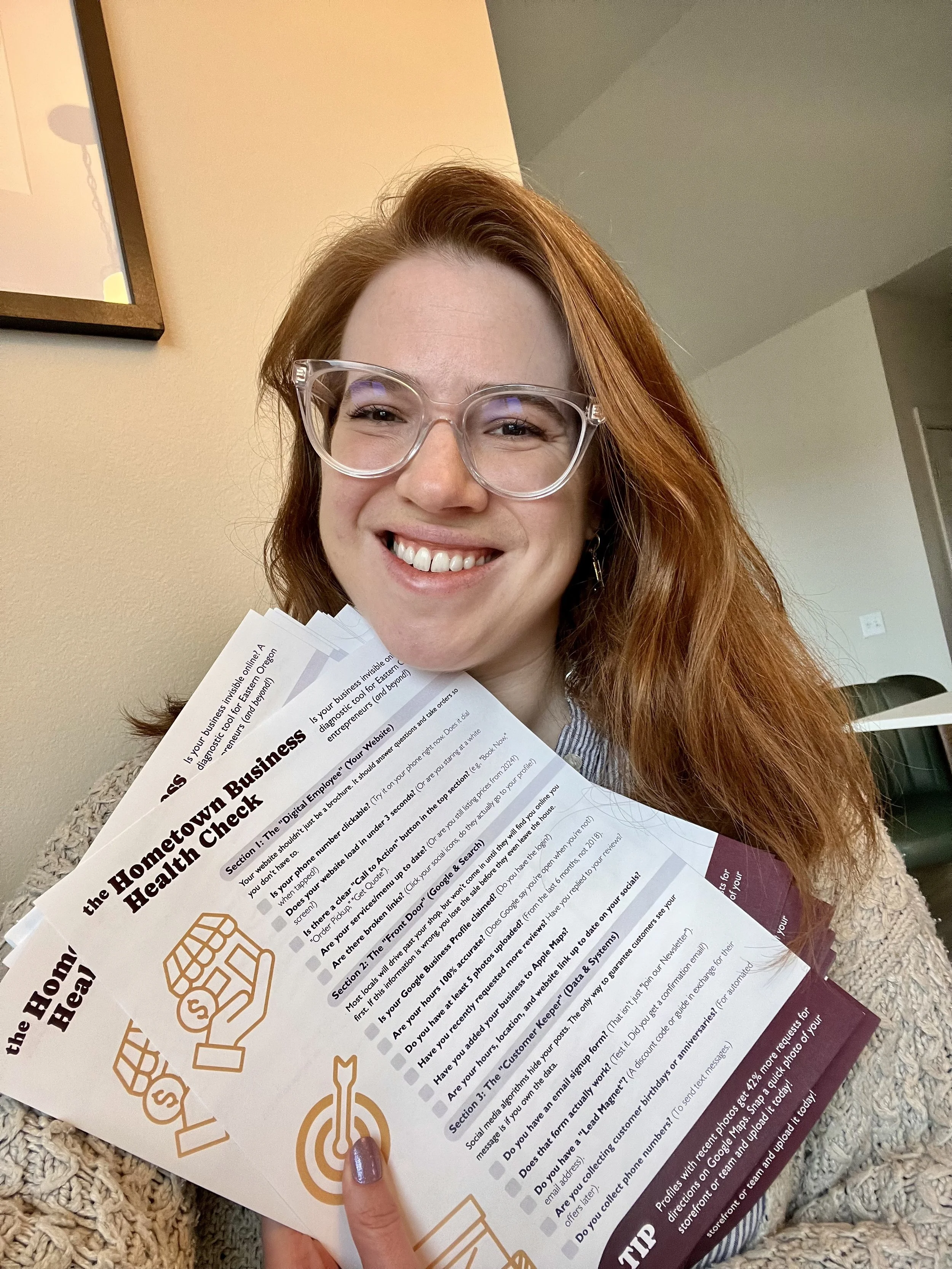
Is your business invisible online?
Most locals won't visit your shop until they find you online first. If your digital "Front Door" is broken, you lose the sale before they even leave the house.
Take 5 minutes to diagnose your digital presence with the Hometown Business Health Check 👇

So, you built the website, you launched the business... and now you're wondering why the hell it isn't making any sales. We are breaking down the most common trip-up points that are actively causing your website to leak leads and lose customers.