
Take Back Your Time: Quick & Easy Business Automations
In this video, I discuss how to reclaim your time and energy by using simple tech tools to automate your business processes.
I break down why time, money, and energy are all connected, and how you can use simple tech tools as your "extra employee" to buy back your life. We are talking about practical, real-world automations across three main buckets:
1. Automating Your Boundaries
2. Automating Your Client Experience
3. Automating Your Backend (including lightweight ways to use AI).
If you want a business that doesn't completely stall out the second life throws you a curveball, it’s time to step into your CEO energy and leave the hustle behind.
🧰 Resources Mentioned in this Video:
Grab the Client Connection Toolkit (for exact email templates & processes!): https://www.calibratedconcepts.com/shop/p/client-correspondence-companion-tool-kit
The Hometown Health Check: https://www.calibratedconcepts.com/freebies
Transcript below!
-
00:00 Is your business threatening to take every single thing you have to give? I'm talking your time, your energy, everything, every moment of spare thought you have.
00:14 It isn't just about being busy, it's about the overwhelm, it's about, um, just the lack of energy, how much it's draining you, spinning all these plates, task shifting all the time.
00:24 Not having great boundaries, and allowing your inbox to fully mess with your peace. I talk about this a lot, but I think there's a triangle between time, money, and energy, and you really have to be intentional and thoughtful about where you want to spend and where you want to save.
00:44 You know, are you resting up, are you saving that energy? Are you willing to splurge on some extra help, so that you can save some time?
00:53 It's really a trade-off, and I think especially as you hit different stages of business, those balances will be different, right?
01:02 At the start, you probably don't have a whole lot of money, and you're going to be trading a lot of your time, but as you build up, you can shift those.
01:11 You need a business that doesn't completely stop if life throws you a curveball, that you're not in a panic working in the middle of the night, because life has thrown something your way, and you had to drop some balls.
01:27 Today, we're talking about how to use some simple tech tools to be your best employee, so you can actually step into some CEO energy and leave a lot of that chaos, overwhelm, and hustle behind.
01:42 We're going to be talking about three buckets, so let's start with bucket one, which is about automating your boundaries. I talk about boundaries so many times, and I love it when tools can help you enforce those, because sometimes society doesn't make it easy for, uhm, especially people socialized as
02:00 women, to hold those boundaries. So, ways that I hold my boundaries, the way that I help my clients hold their boundaries, is first and foremost, using Do not disturb mode, you're laptop, your phone, almost certainly have these features, uhm, I'm really lucky because I'm an Apple freak, and in the Apple
02:18 world, and they're all connected, so when I turn it on on one, like it is for this video recording, it's turned on everywhere, so I don't get tons of ping-pop notifications, which allows me to be really present while creating this video.
02:31 I have this set up to automatically. Go from 10 a.m. to 4 p.m. on weekdays, and this means, again, that as I'm crafting and working on client work or crafting an email or whatever it is, I'm not getting distracted and starting to task shift and really drain my body and brain by having too many things
02:53 happening at once. Along those lines, it's seems like such a simple thing, but being really transparent on your website will save you loads of time.
03:07 So, I'm talking putting your pricing on your website, putting exactly your packages, having standardized packages, standardized pricing, uhm, not that you can't say starting from, you know, if your packages are a little more custom, but I really want you, for a few reasons, to not go overly crazy on
03:26 the custom. One is because when you have that all really clear on your website, you're not going to get as many tire kickers, you're not going to be spending as much time having, uhm, that back and forth with people.
03:41 you're going to be really clear from the upstart. It also means that when you get to the part where people have actually signed you to work for them, that your invoices and all of that are going to be really simple because you have standardized packaging.
03:54 the third thing in automating your boundaries in our first bucket is all about autoresponders. So one of my favorite ways to use this, there's a million ways to have an autoresponder in your business, but I think one of my favorite ways to use this is to create an FAQ page on your website and then have
04:12 that in your autoresponder for your emails, for your social media, uhm, just make it so that when people ask you something that would take up your manual time, you can say, and I'll have an autoresponder that goes something like this saying, thank you so much for reaching out.
04:27 We'll be in touch soon. In the meantime, here is a link to some of our frequently asked questions and answers.
04:33 We hope it helps you talk soon, kind of a thing. And then usually you'll get a reply saying, oh, thank you so much.
04:41 That Q and A thing helped me out. I know exactly what I'm, you know, I'd love to book a call, et cetera, et cetera.
04:48 It kind of just takes out some of those middlemen. Now, some of these, um, tools that we're using these days have these set up where you can actually program an AI bot to answer these as well, so that it seems a little more like you're actually doing it, but those FAQs, if you can build out a list of
05:05 your frequently asked questions and put them in your autoresponders, your Google business profile, your website, all sorts of places, it's going to save you so much time and energy, because you're going to be meeting people ahead of their questions.
05:20 Alright, bucket number two. We're talking about automating your client experience. so this is maybe when they're thinking about signing on the dotted line, or have already become a client.
05:33 These are things that I use with my team, with my business, with my clients all the time. So, the first is probably my number one recommendation, because you can set it up in under an hour, and it will save you, like, weeks of your life throughout your business.
05:48 And that is using a scheduling tool. So, there are so many of these out on the market. There's Calendly, there's Acuity, there's loads of, there are newer ones that have come out.
05:58 Um, there's some that are built into your CRM. So, mine is built into my Dubsado account. And when I can just simply have an automated email go out that says, please book a call with me.
06:11 And then that back and forth is just taken out. Or somebody can book a call directly from my website for a consultation.
06:17 And there's a little form that goes with it. So, I have all the information I need. It makes it a really big deal in saving my time, protecting my boundaries.
06:26 I, you know, the calls are only available at specific times. And it means that somebody wants to book on a day that I don't typically take calls.
06:35 It's, I don't have to worry about hooming and hawing. And, oh, do I really want to push my boundaries? Do I want to take calls on Fridays?
06:41 I don't usually for good reasons. And so this means that it's just sorted. Um, and then going into the next thing is reminders.
06:54 So those, um, that scheduler automatically has appointment reminders, a button for people to cancel or reschedule, um, a lot of important information that they might need coming up to that appointment.
07:07 I also have reminders that go out for things like contracts and invoices and payment installments.
07:22 Um, I have automatic ones for forms and, you know, homework that I might need before we work together. Um, automatic reminders to even schedule those appointments when we are working together.
07:35 So, those automatic reminders mean, again, I'm not having to manually tap them on the shoulder and say, hey, I need you to do this for this thing.
07:42 And it's all automated and very professional. Still very personable and branded and all those things. But it means that that pressure is off me to actually remember to do it.
07:53 And the final thing in Bucket 2 is using canned and templated responses. So, we kind of touched on this, uhm, in the FAQ section.
08:02 But for all of these things, and I want to just be really clear, so many of these things I'm talking about are connected.
08:09 So, for my client, my, uhm, scheduler, maybe I have canned emails that say, hey, I'd love you to book an appointment, or so, thank you so much for booking an appointment.
08:18 Or I have a canned, uhm, text that I send on my phone that when I type in the word consultation, it becomes this mini paragraph with a link and everything like that for people to actually book.
08:31 And, and it makes it really quick that if I'm replying to somebody on the whim, in any way. Any app that it, if I type the word consultation, it has my full little phrasing.
08:39 Uhm, I can tweak it a little if I need to, but it's just there. Uhm, I have these in my inbox, I have them in my CRM, I have them in our client onboarding process, like the, the tabs, so like when we invite someone to Asana, uhm, we have them all over the place, right?
08:58 And so having them all uhm, just standardized means that our client processes are the similar, but it also means that we're, again, it's just that one less thing we have to think about.
09:08 It's one less thing I can off, board or outsource, uhm, and it just is just such a necessity. Like, think about anything you send over and over again and make it a canned email, whether that you put it in a note in your phone or you put it in a Google Doc, you, you put it in the proper templated emails
09:25 place in Gmail. If you're doing it anywhere that has that feature, just Google it, like literally Google, Gmail email templates or Dubsado templated emails, and you will find out where you can and put those into your system, your existing systems, and just, again, have things standardized, have things
09:45 simple, and never have to think about it again. All right. Bucket three, our final bucket. Uhm, let's talk about automating kind of more of that backend, that heavy lifting behind the scenes.
09:58 So one thing that depends on your business, but might be your accounting. I think it can be really frustrating sometimes to have to input every single expense to track every, uhm, transaction.
10:11 And so if you can use a tool, I used FreshBooks for a long time and really loved it, that automatically tracked all my expenses because it's connected to my bank account.
10:20 Uhm, it was connected to my invoices. It wasn't what I used to invoice people. And it sent all those, uhm, invoice reminders.
10:27 And it also, obviously, logged every time somebody paid me. So it all of my bookkeeping was done so simply. There are many of these out there, QuickBooks, FreshBooks, Xero, like, there's just, depending on what country and where you're at, so many options.
10:42 Uhm, but I think the level of business you're at will matter what, will depend, right? Some of your bank accounts might have these features, uhm, some of the newer ones do.
10:53 I have kind of a Hybrid system, I use my CRM for all of kind of that incoming stuff and then we just export my bank and Stripe statements and do a quick, uhm, input of those at the end of each month because I don't have enough transactions that it really matters and I really needed the features of my
11:12 CRM more than I needed the features of a financial, you know, software. Another one that we've really loved using in the last year is AI meeting note takers.
11:26 Uhm, there are a million of these. Otter's been on the scene for a long time, but the thing that I love now is I use Google Meet for my clients and for a lot of my meetings because I realized I was already paying for it.
11:40 It's already a part of Google Workspace. Why was I paying for Zoom? And some people love it, some people hate it.
11:46 But what I do love is it has several features now. Um, one is, you know, I can record my meetings.
11:52 They just live in my Google Drive. They're just where I already store so many of my files and my work and my processes.
11:59 Um, and so that is super handy. Um, it makes it really easy to share with clients the same way you can share anything else.
12:07 And the other thing I love is the AI features. I can, you know, have it automatically create meeting notes for me.
12:15 I can have it transcribe the entire meeting. I can have it, it creates action items for me. And obviously those sometimes need vetted and fact-checked.
12:23 But I get this beautiful doc at the end. It's like, here's your action items, here's the transcript, here's the video embedded because you recorded it.
12:29 And it's just, and then I can pass that client for those types of meetings for when I'm maybe doing a power hour.
12:36 And I don't have to think about so many things that I used to have to think about. And then another AI one, and this is pretty basic, but I also know some people that are dragging their feet for using this, but is using AI for drafting outlines, um, bouncing off ideas.
12:54 And I think so many people are resistant to this and wary with some, you know, merit. Um, you don't want to steal your creativity.
13:03 You don't want to sound like everyone else. So it's really using it in the right places. Um, I use it a lot with how can I get this headline to be a little more SEO optimized, those kinds of things.
13:16 Or can you create an outline? Outline for me from these ideas. Here's, I'm going to plug a lot of my own thoughts in.
13:21 Um, but that way it's just a little more organized. Um, I think it makes a big difference. And again, it's just like freeze up your brain, but you really want to be careful to not sound like everyone else and to not over rely on it.
13:36 Cause you want to keep your creative thinking and you also like. I don't want to be one of the businesses putting out what is known now as AI slope, right?
13:46 We can't be doing that. You want to keep high value content. All right. And the last one is using recurring tasks.
13:54 So wherever your task management is, whether you're using a full on, um, project management tool or you're just using Google tasks or your tasks in your phone, or even your calendar, wherever you're doing it, wherever you're keeping track of what you have to do, set up recurrences, set it up so this
14:10 happens every Tuesday, you know, or this happens every quarter on the third, you know, whatever, like just making sure that, and then in that task, all the notes you need, um, what exactly you're doing, why you're doing it, if there's a tutorial link, um, whatever it is.
14:27 So we have these in my business all over the place. But mostly in our project management tool Asana, and we would use, um, a recurrence and then a loom video to show us how to do it.
14:38 So if it's our quarterly email clean, we never have to think about how it's done, um, whoever's assigned to it for the quarter just goes through and does exactly what it is.
14:49 And then when they click done, it automatically reassigns it for exactly what the right time, the next time. And we have this for monthly tasks, quarterly tasks.
14:58 Um, this is, I have one for creating YouTube videos with all the subtasks and all the things I need to tick off to make sure it's AI opt or, um, all the things I need to do to make sure it's SEO optimized and that it gets on the blog right.
15:14 And if it's me talking to And all those things just standardized. And we never have to really think about it cause it's all just coming out at the schedule that I've set.
15:28 All right. That is everything. Those are our three buckets. I know there's a lot of little things in there, so I'm hoping you got some good nuggets that are really going to help you step into CEO mode, to buy hours back in your life and to just really be really feel like, okay, if I schedule one day
15:46 to knock a few of these things out, then I will be breathing easier for the rest of the frickin' year.
15:53 That's my goal for you. That's the dream. All right. I have some tools that you can use in the description.
16:01 I have the Client Connection Toolkit is going to be really, really helpful here. If you you're like, I just, I don't even know where to start with some of these templates and some of these processes.
16:10 I've got, I've got you. And that's it. Stay capable, stay calibrated and see you in the next video. Oh, and don't forget, like, share, comment, if you found this helpful.
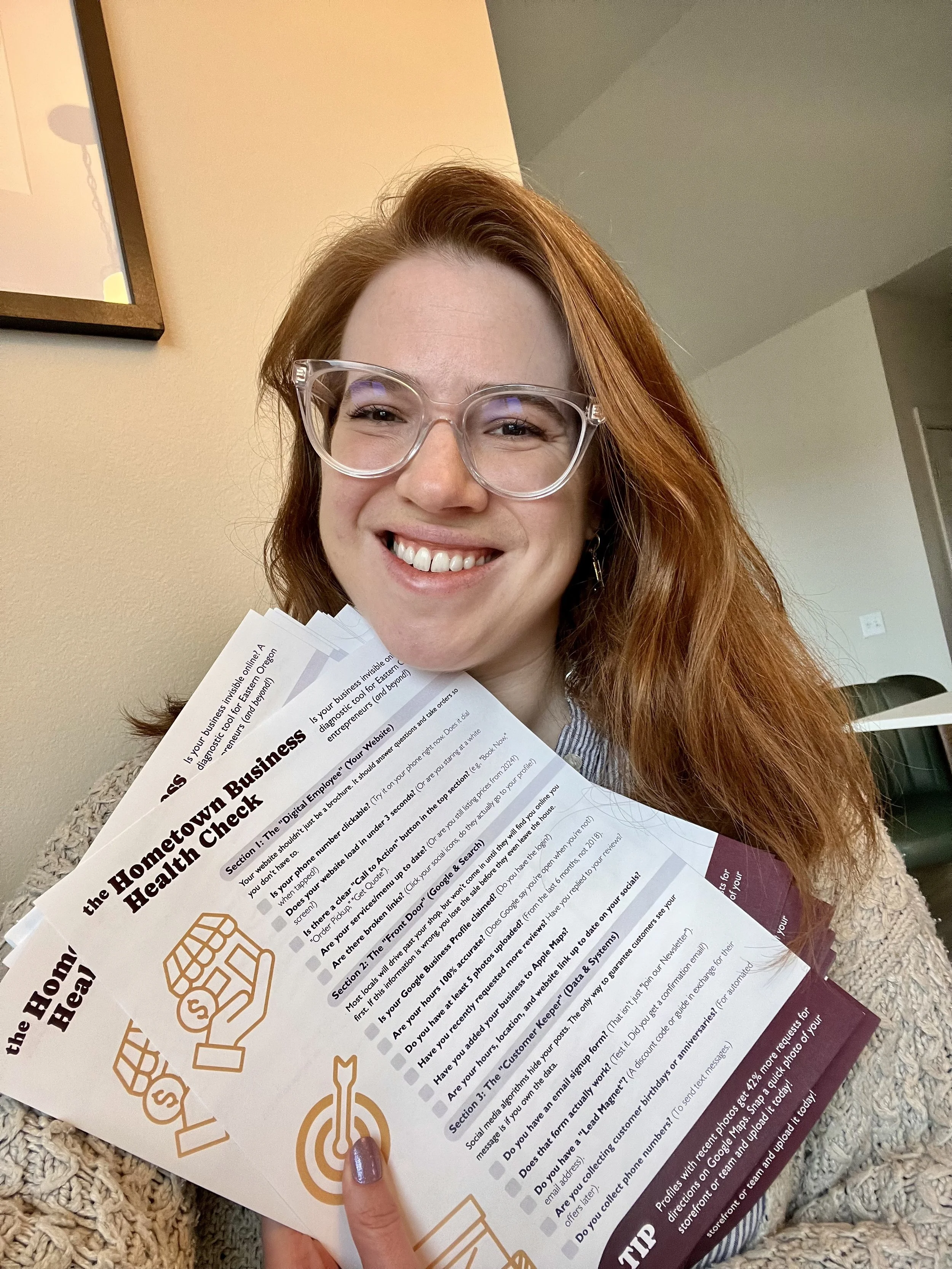
Is your business invisible online?
Most locals won't visit your shop until they find you online first. If your digital "Front Door" is broken, you lose the sale before they even leave the house.
Take 5 minutes to diagnose your digital presence with the Hometown Business Health Check 👇


We all know Google reviews are the hugely important for social proof and local SEO. But how do you actually get clients to write them without feeling awkward AF?