5 Things to Change to Level Up Your Squarespace Website
We all know I love Squarespace because it’s just so damn user-friendly! That said, there are a few settings that need shifted for nearly everyone I work with. The reasons I make these changes range from usability to design to search engine optimization, but ultimately they each help take your site up a notch.
So without further ado, here are a few easy changes or additions you can make on your site that will bring your site to the next level of professionalism!
1. Localization
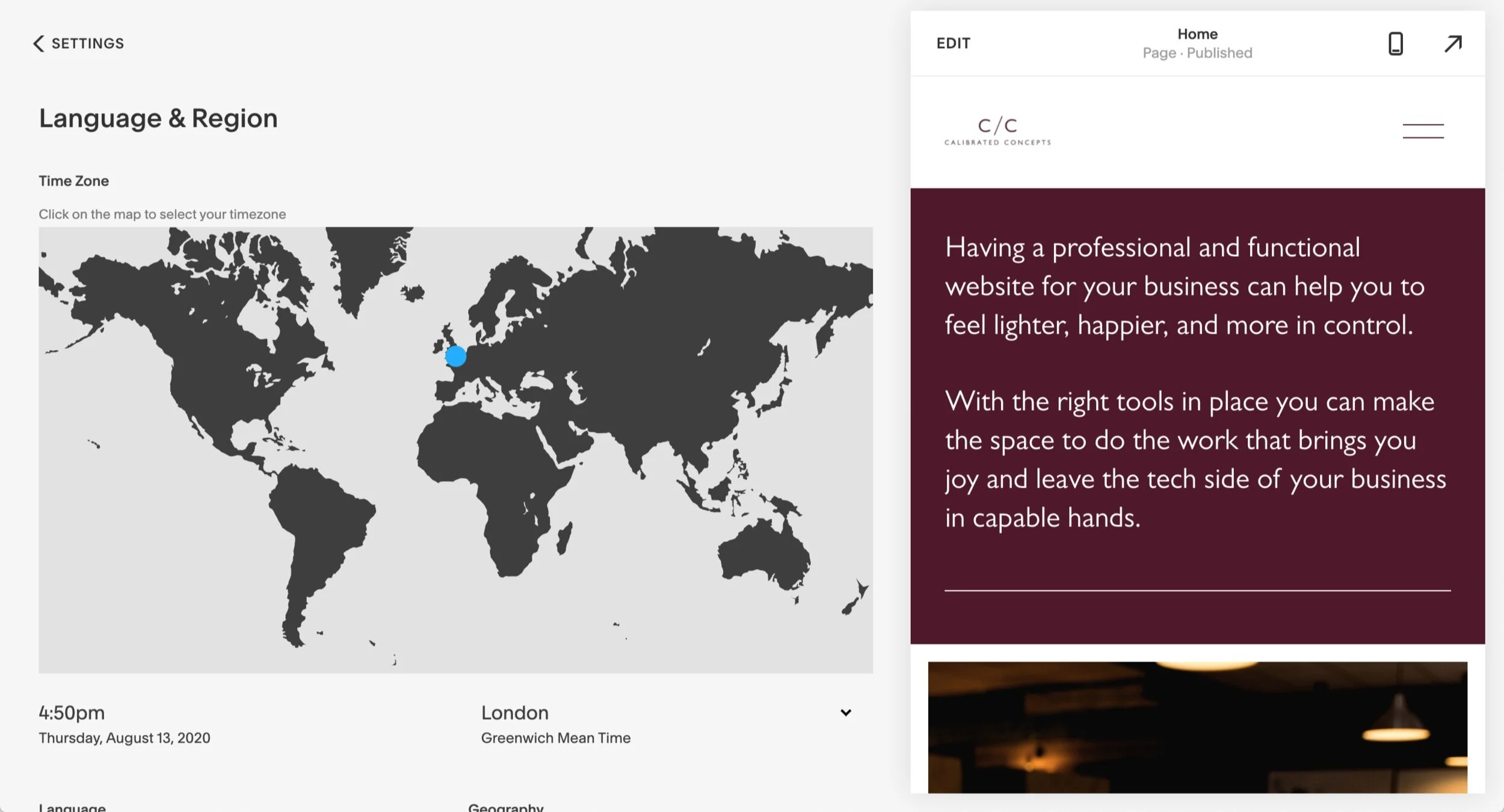
It’s really important that your site accurately reflects where you are located, checks for correct spelling and grammar and uses the right currency.
There are two places to update these in Squarespace:
Go to Settings > Regional Settings
Settings > Store Payments > Store Currency
2. Add animations
In Squarespace 7.1 you can easily add animations across the whole site by going to Design > Animations > select your preferred animation style & timing
Unfortunately, it’s not quite that easy in the older version of Squarespace, but there are several block types (like images) that allow you to animate them individually.

3. Add a Favicon (Browser Icon)
These are small simple icons that show up in the browser tab when someone is on your website! It replaces the cube that Squarespace automatically puts there and makes your site look a whole lot more professional!
7.1 - Design > Browser Icon
7.0 - Design > Logo & Title > Browser Icon
4. Add a social links page
This is super helpful for Instagram - it replaces tools like LinkTree and allows you to reference multiple links on the platform and still send all everyone to your website.
Mine looks like this - http://calibratedconcepts.com/hello
You might be wondering how I get the buttons to be the same size! It’s easy, I’ve opened up the page settings and embedded a little custom code.
Want to try this little trick yourself? Here’s a how to:
Here's the code to copy into your advanced page settings:
<style>
.sqs-block-button .sqs-block-button-element--large {
width: 75%;
}
</style>
5. Remove the words ‘Made with Squarespace’ from the footer
This is such a little thing, but it makes a huge difference in making the site look more professional!
In 7.1 - click ‘Edit’ on any page > scroll down to the footer > click ‘Edit Footer’ > delete the Made with Squarespace text
In 7.0 - Design > Squarespace Badge > Disable Squarespace Badge

So there they are. If you have questions, feel free to leave a comment!
Want more Squarespace help?
Book a Power Hour!
👉 If you have a Squarespace or Shopify website and…
it doesn't quite feel right.
there's features you can't get to work the way you want.
you're looking for a bit of a quick redesign.
you want some professional insights and expertise.
you need to add in some features that will free up your time, like scheduling, and don't know where to start.
These sessions include:
A 60-minute video call
A discussion of exactly what areas of your website can be improved together
I’ll make amendments on the live call and show you exactly what I’m doing through screen sharing
A recording of session for you to keep and learn from
Note: you’ll receive an email with a digital download. Use the link in the PDF to schedule your Power Hour session!